6 Intro to Git
Acknowledgments
Some of the information here comes from Software Carpentry’s course titled, Version Control with Git.
Why Git?
We’ll start by exploring how version control can be used to keep track of what one person did and when. Even if you aren’t collaborating with other people, automated version control is much better than this situation:
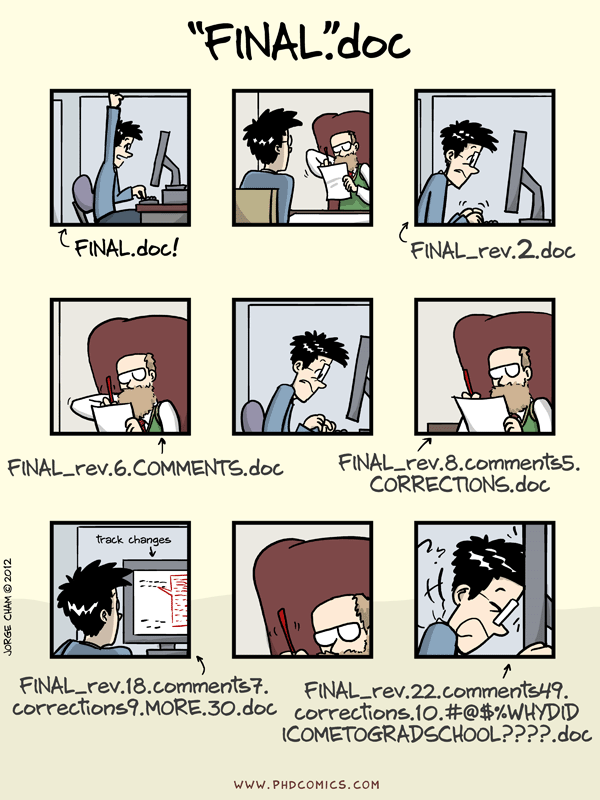
What is Git?
Distributed version control: Every collaborator has a full copy of the project history on their local machine.
Time travel: Revert to any previous state of your code
Commits
A commit is a snapshot of your entire project at a specific point in time.
Every commit is identified by a unique 40-character SHA-1 ID.
Commit message documents what was changed and why
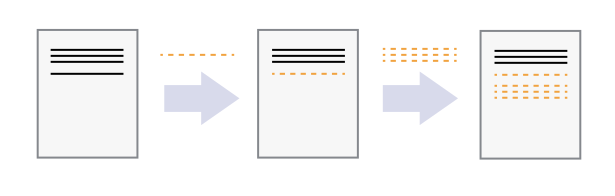
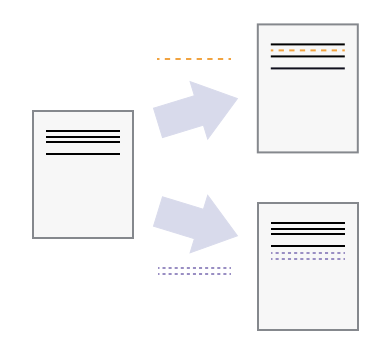
Branches & Merging
- Isolated environments: Branching allows you to diverge from the main line of development and work without affecting the stable codebase.
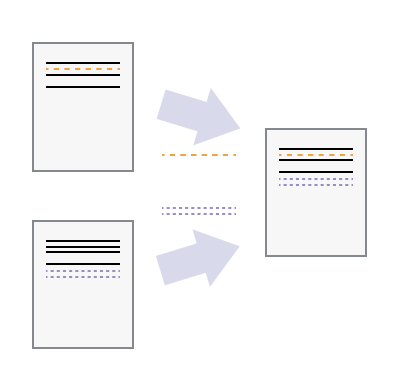
Merging: The process of bringing independent lines of development back together, combining new features with the main branch.
Conflict resolution: Git manages overlapping changes, prompting for manual intervention only when files are edited in the exact same place.
Without getting into the details of the exact edits happening in each commit, let’s take a look at a simple git tree consisting of several commits over a couple of branches.
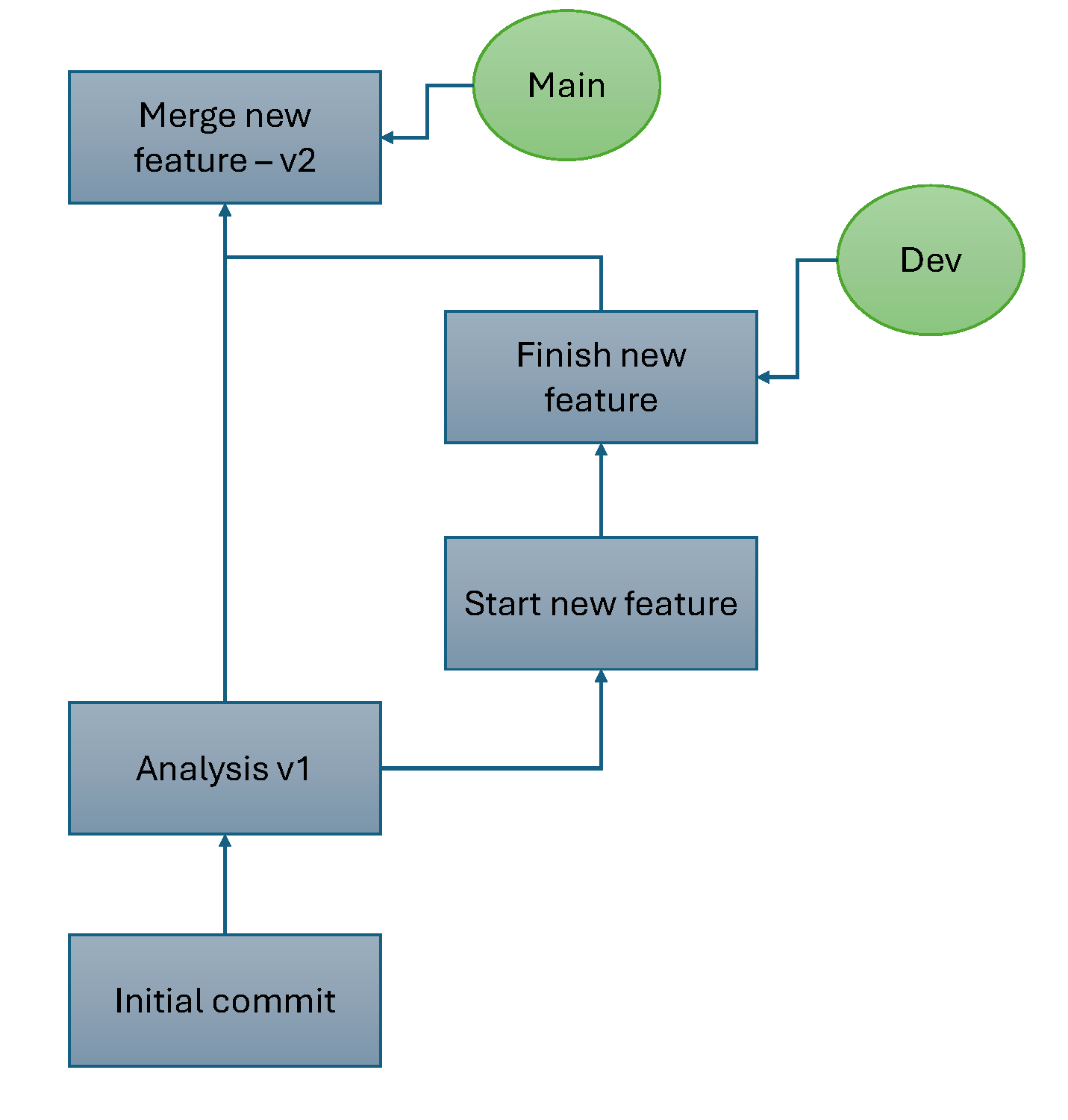
Distributed version control
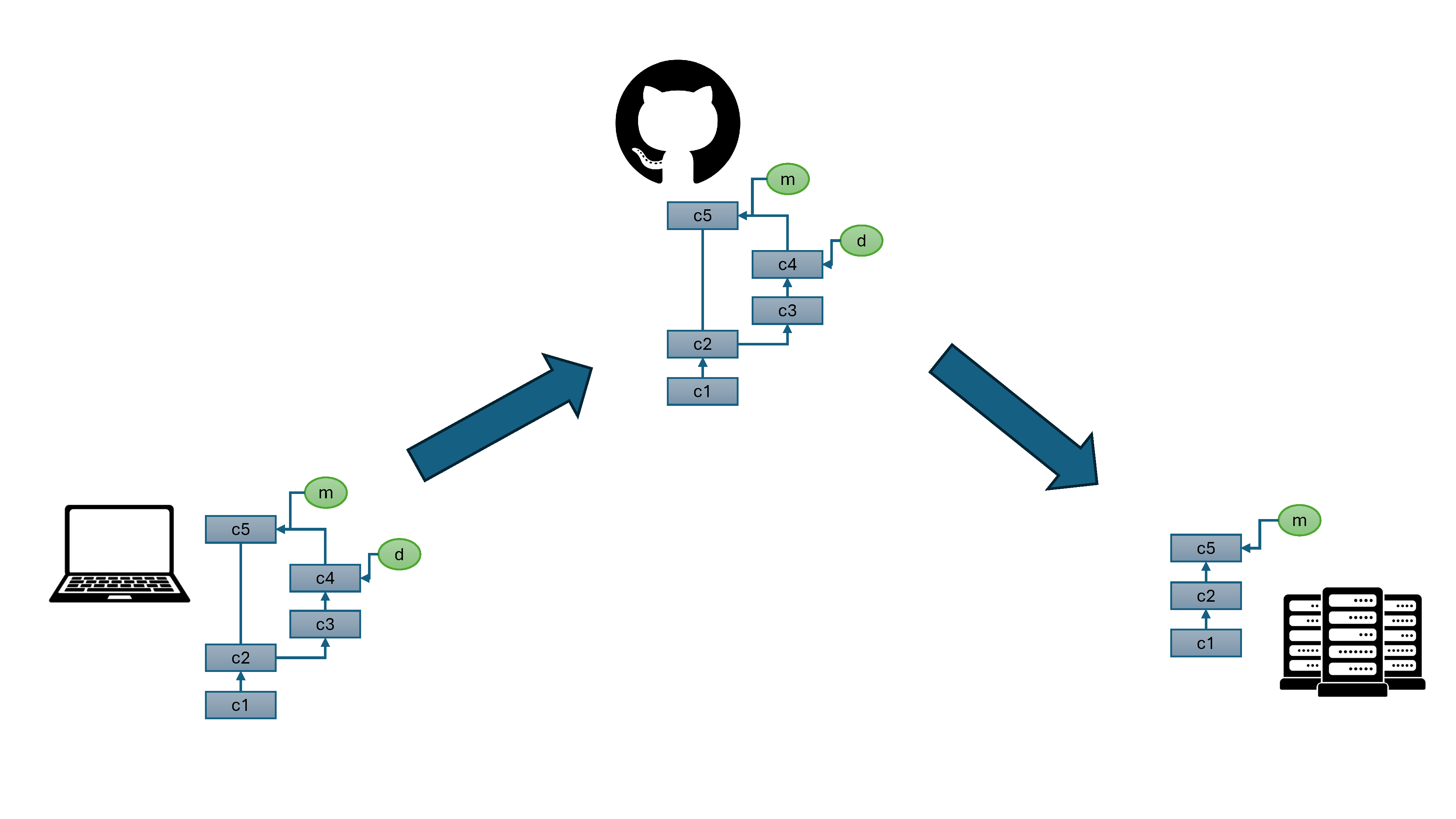
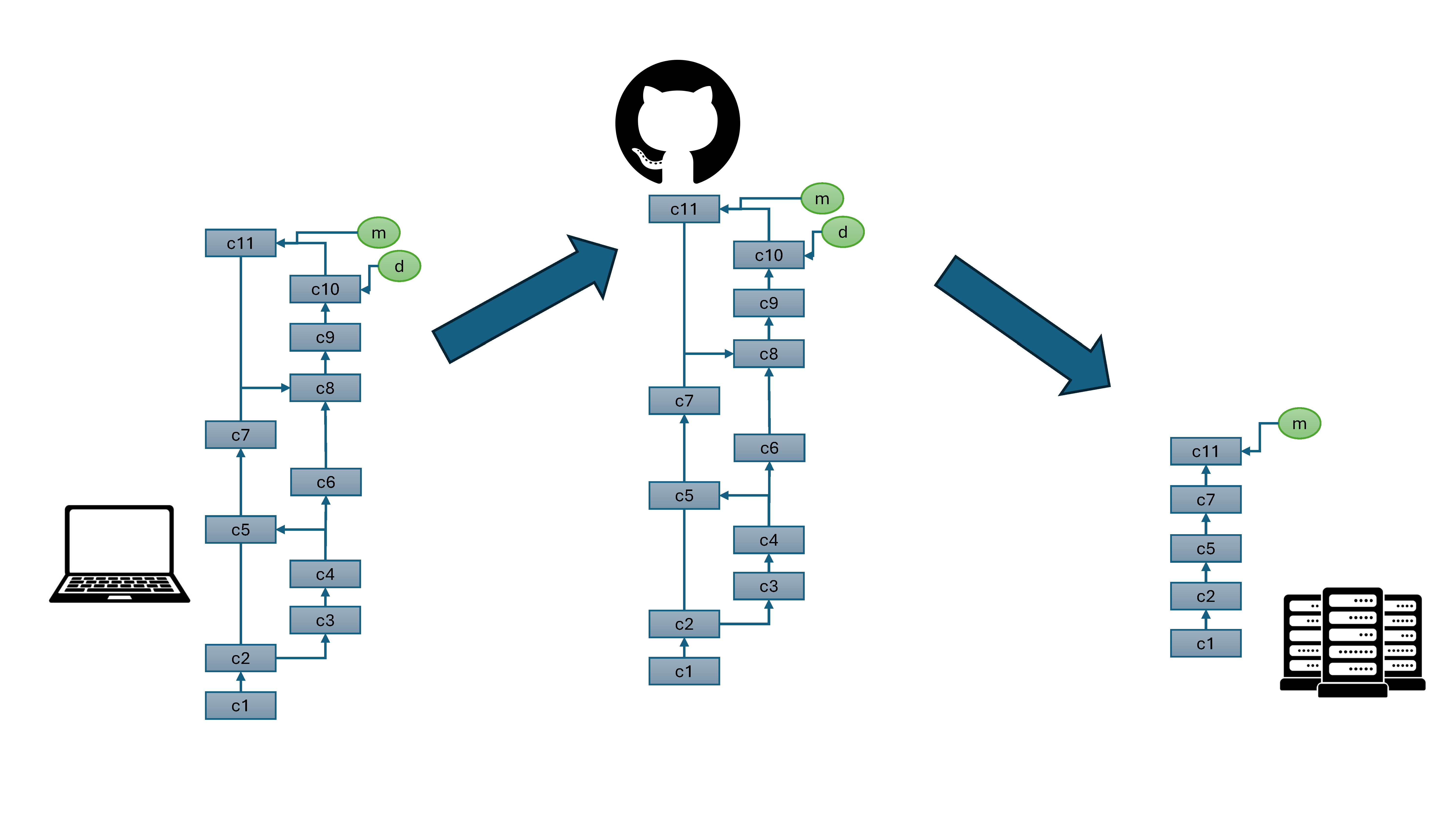
As mentioned above, every collaborator has a full copy of the project history. Let’s pick up where we left off with the scenario above. Now that we have developed a workflow, we want to use it on a compute cluster.
We now have two copies of our codebase, which we will manage with GitHub. Notice that we only pulled the main branch to the cluster, since we’ve decided that don’t really need the development branch there.
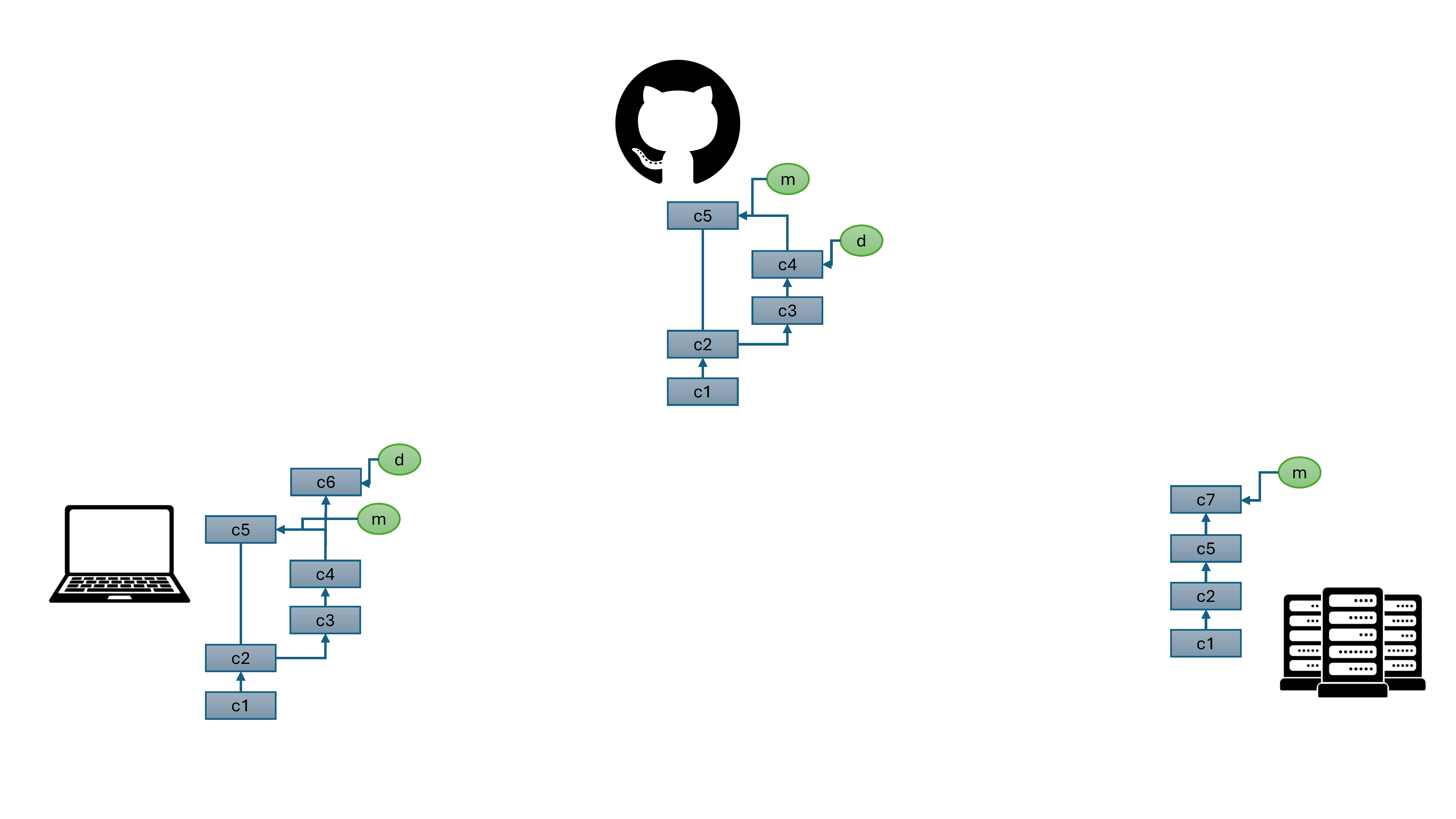
We’ve started working on a new feature on our laptop, and after running a couple of analyses, we discover and fix a bug on the cluster.
We want to include the bug fix in our development branch, so let’s move those changes over to our laptop and merge c7 into dev.
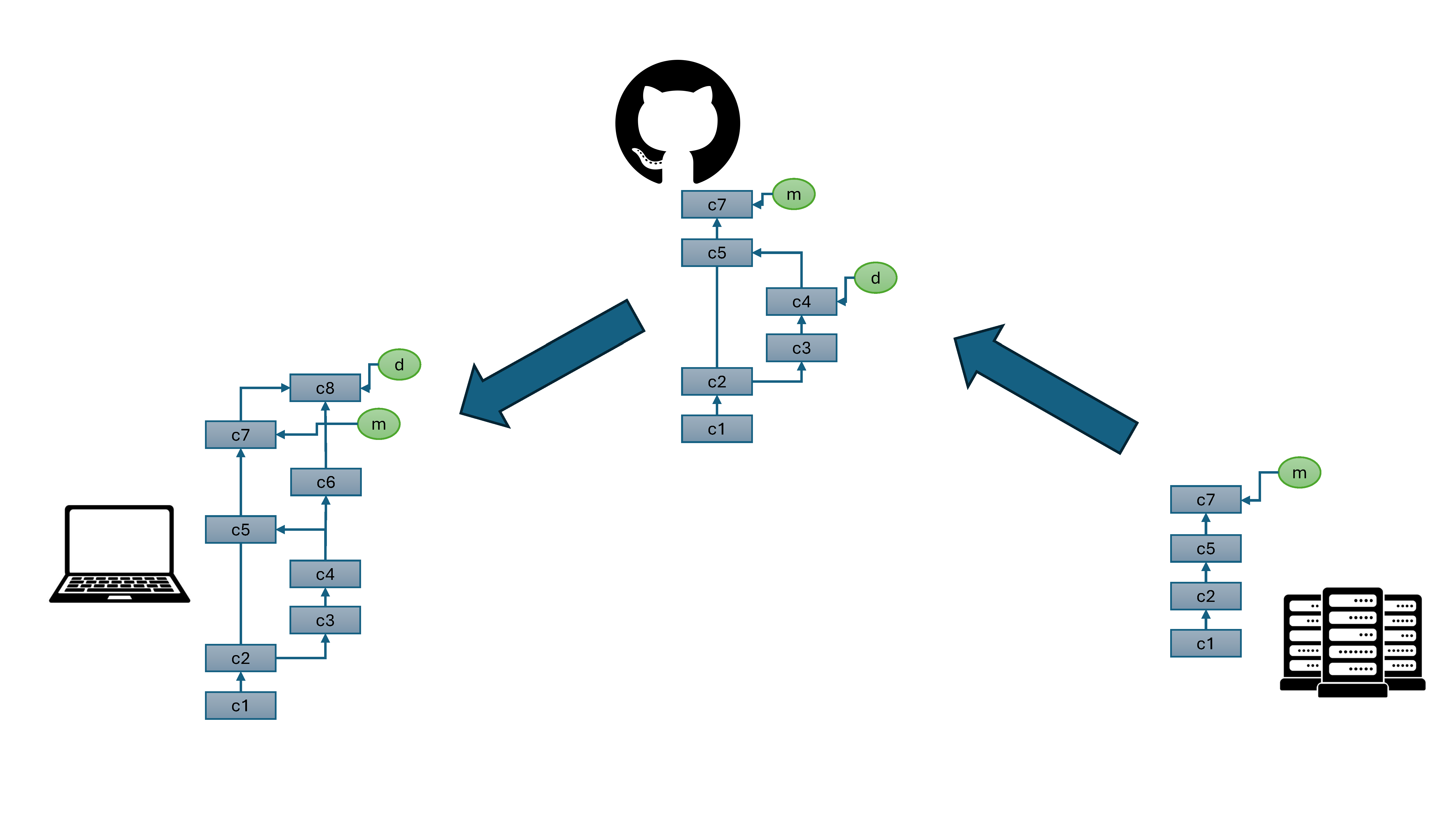
Once we finish the new feature, we can merge it into out main branch and push/pull it onto the server.
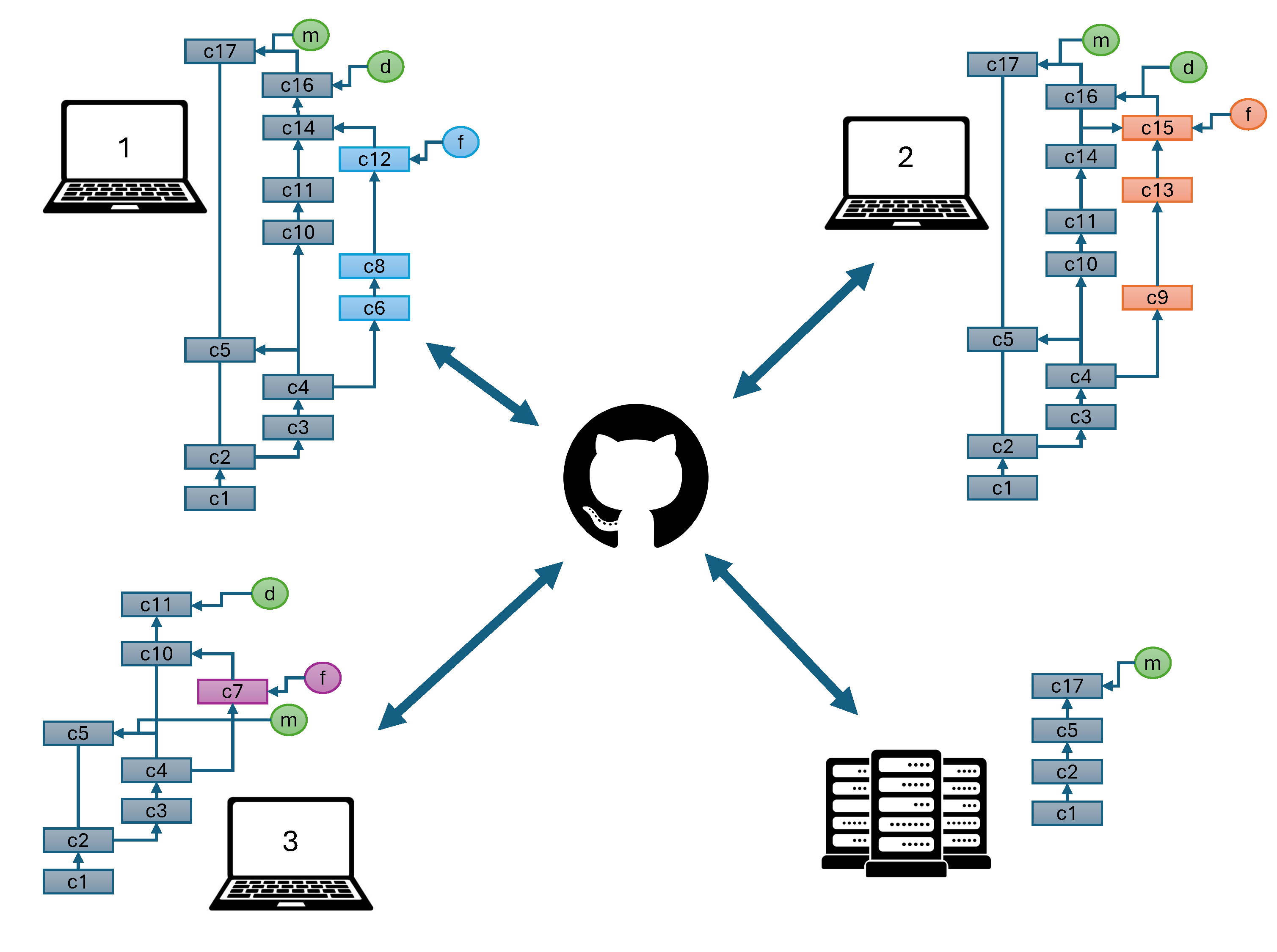
In this case, we are collaborating with ourselves, but collaboration between two or more people is also possible. Let’s look at a git tree representing a collaboration between several people.
GitHub
Remote Hosting: The centralized home for your git repositories in the cloud
Collaboration Tools: Integrated issue tracking, project boards, and wikis
Code Security: Automated vulnerability scanning and secret detection for your repositories
Collaborative Review via Pull Request (PR)
PRs allow you to propose changes and invite team members to review your code
100% visibility into code changes before they are finalized
Inline comments and reviews ensure that all code meets project standards before merging
GitHub Desktop
Creating repositories
Cloning repositories (practice accepting today’s assignment and cloning it to your computer)
Visual syncing with GitHub
Review Questions
- What is the purpose of version control?
- What is a commit in Git?
- How do branches facilitate development in Git?
- What is the difference between Git and GitHub?
- What are pull requests and how do they contribute to code review?